How it works.
Getting started
Sign in with your Power BI account. EntityBrowser discovers the workspaces and semantic models you can access, then synchronizes their metadata directly from Power BI.
Pilot process
Start with a free pilot on your own Power BI semantic model. The pilot period is agreed individually, giving your team time to evaluate EntityBrowser in a real working environment.
Connect your model
Sign in with your Power BI account. EntityBrowser discovers the workspaces and semantic models you can access and synchronizes model metadata directly from Power BI.
Configure navigation
Choose the setup approach that fits your team.
Start the pilot
Invite users and begin exploring your own semantic model in a real working environment.
Evaluate
Decide whether EntityBrowser adds enough value to continue.
No consulting project. No migration. No redesign of your Power BI models. No cost during the pilot.
After the pilot
If you decide to continue with EntityBrowser:
€10 per user / month
Minimum 10 users
Volume pricing is available for larger deployments.
No long-term commitment.
EntityBrowser enables
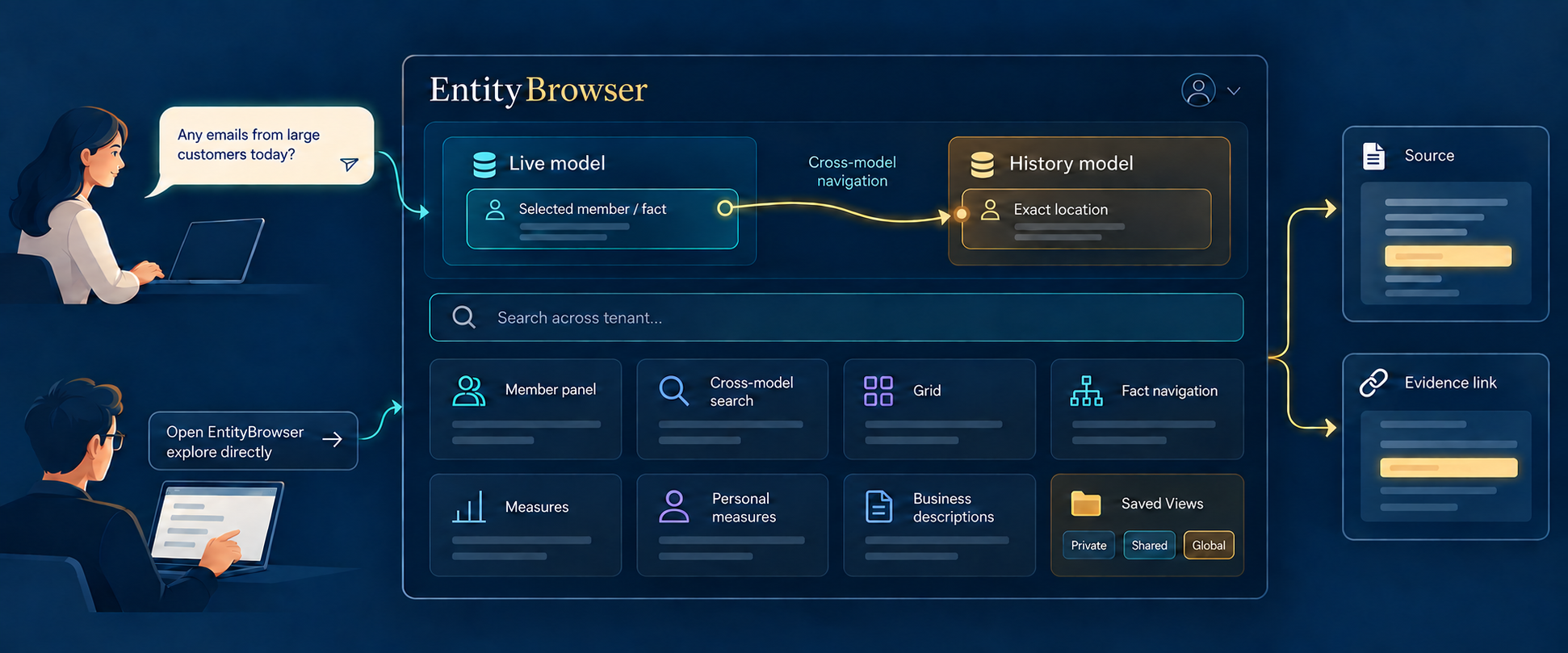
Find relevant business content across semantic models — including tables, dimensions, facts, measures and descriptions.
Move through dimensions, relationships and business events instead of being trapped inside individual reports.
Bring descriptions, metadata, measure context and business meaning directly into the navigation experience.
Save and share views, inspect underlying events and continue into relevant source systems and content.